in the given situation, after using goal seek which cell will not equal 65? h4 h5
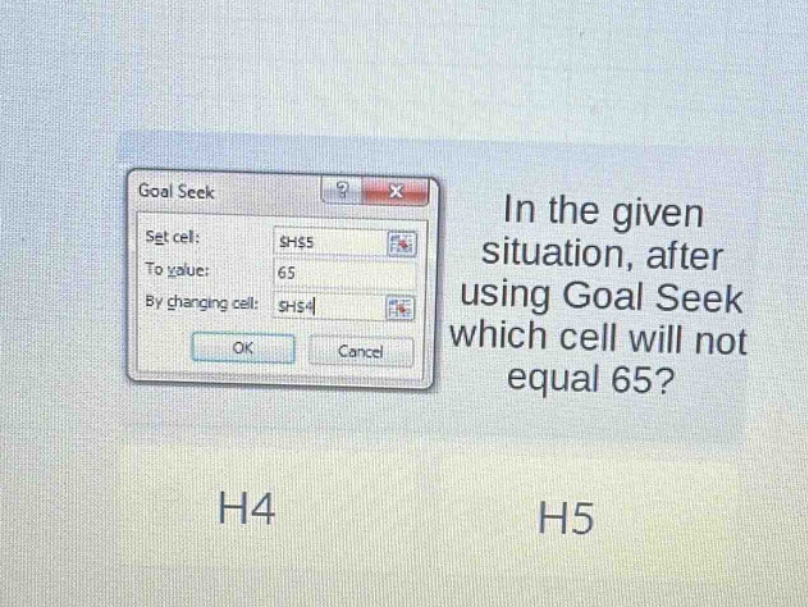
in the given situation, after using goal seek which cell will not equal 65? h4 h5
Answer
Explanation:
Step1: Understand Goal Seek function
Goal Seek in Excel tries to reach a desired value (To - value) in a 'Set cell' by changing the value in a 'Changing cell'. Here, we want to set cell H5 to 65 by changing cell H4.
Step2: Analyze the result
After using Goal Seek, the 'Set cell' (H5) will be set to the 'To - value' (65). The 'Changing cell' (H4) will change to a value that makes H5 equal 65, but H4 itself will not necessarily be 65.
Answer:
H4